
Hand it the field data.
Your agent imports and validates survey points, runs COGO and traverse studies and flags observation issues, with units, coordinates and source history intact.
Civzu is the first civil engineering workbench built for agentic AI. Brief Claude, Codex or any MCP-compatible agent and it works inside your live project: survey, ground models, alignments, grading, drainage, quantities and sheets, through more than 600 typed engineering tools. Every change is previewed, every action is logged, and nothing is applied until you switch on the apply permission.
Chat assistants talk about your project. A task force works inside it: reading the geometry, running the checks and preparing the deliverables, then handing you the decision.
SURVEY → TERRAIN → DESIGN → ISSUEFollow one connected civil workflow from ground model to reviewed drawing, with your agent doing the legwork at every step. These scenes are illustrative.
Your agent imports and validates survey points, runs COGO and traverse studies and flags observation issues, with units, coordinates and source history intact.
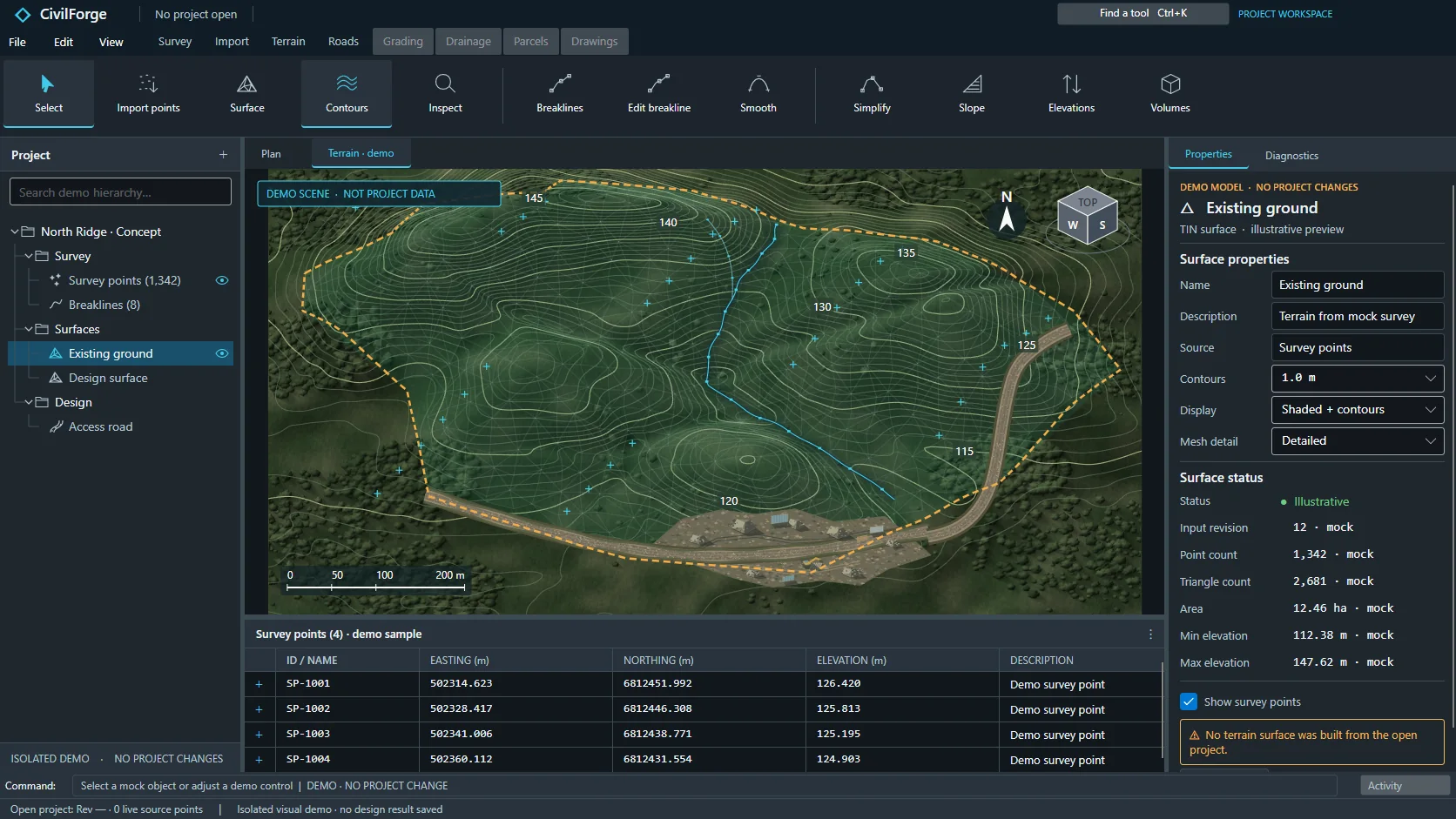
It builds the surface, queries elevations and inspects contours and hillshade. Ask what the site is telling the design and get an answer grounded in the model.
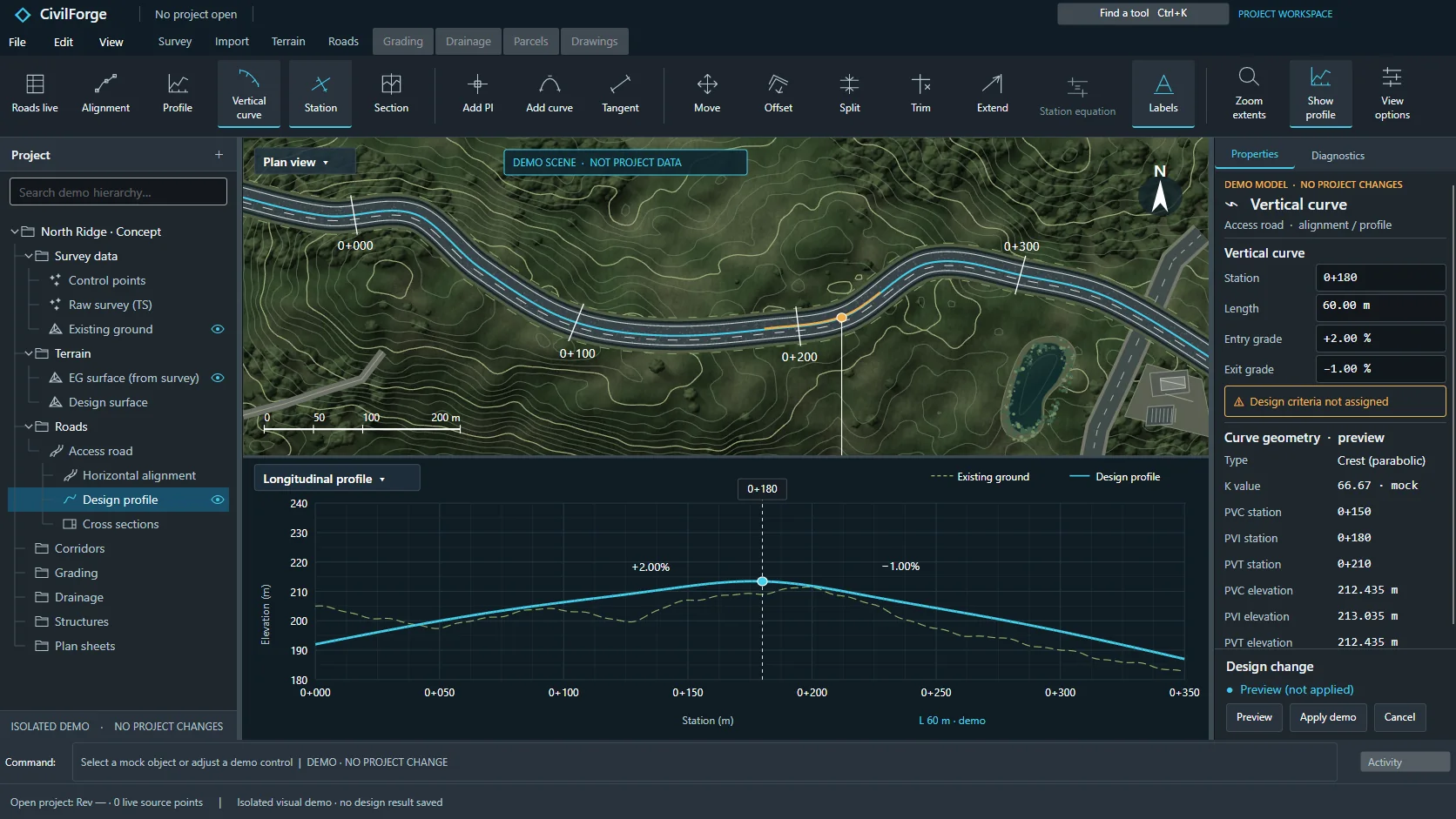
Alignments, profiles, corridors, pads, cut and fill, pipe networks and hydraulic checks, drafted by the task force and inspected by you.
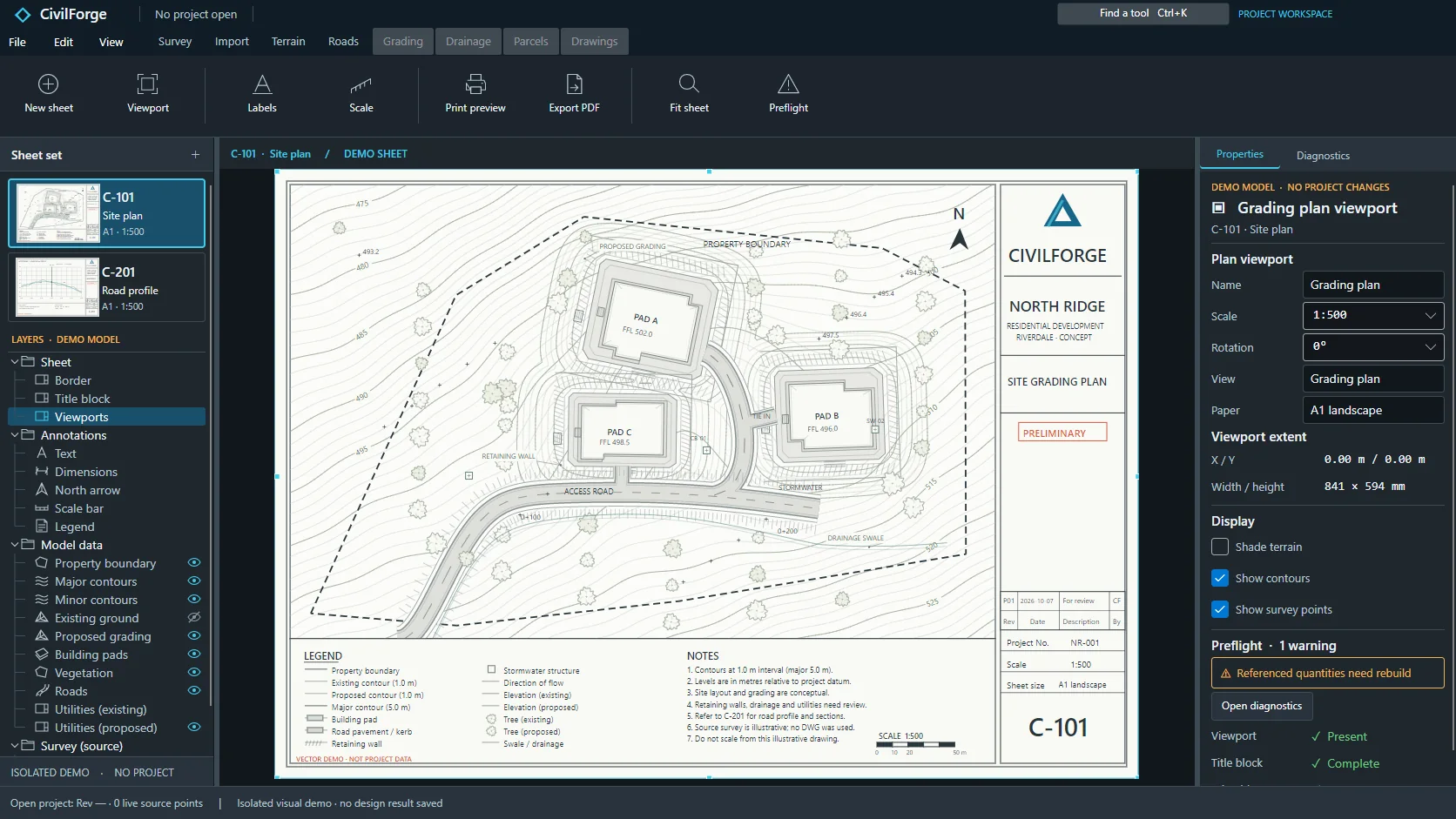
Labels, scaled sheets, PDF plots, quantity workbooks and DXF or LandXML exchanges, preflighted before anything leaves the workbench.
Connect an MCP-compatible client to Civzu’s local server and your agent joins the project as a working member of the team. It reads the live model, calls typed engineering tools across every discipline and returns reviewable proposals. You decide what it may navigate, propose and apply.
Agentic AI, your choice of model
600+ typed engineering tools
Tell your agent what the site needs: a surface from this week’s survey, a corridor along the preferred route, a cover check on the revised drainage layout. Civzu’s local MCP server gives it typed tools instead of guesswork. The connection is opt-in and off until you enable it in the desktop app.
The task force moves across survey, terrain, roads, grading, drainage, parcels, quantities and drawings in one project context. It samples sections, compares surfaces, evaluates hydrology scenarios, drafts junctions and prepares exports, then returns a proposal with its evidence attached.
Navigation and changes have separate permissions. Every proposal is previewed before apply, every action is recorded in the session audit log and project history supports undo. Professional judgment stays with the engineer who signs the drawing.
Civzu speaks standard MCP, so it works with agents such as Claude Code and Codex CLI. Tell us your client when you reserve your seat and we will confirm it at onboarding.
See the full task-force workflowCivzu brings survey, terrain, roads, grading, drainage and drawings into a single Windows desktop workbench. Your task force and your team work on the same model, so nothing needs to be re-exported or re-imported between disciplines.
Import and validate points, build constrained surfaces, inspect contours and track every source change.
02 / SHAPE THE ROUTE ↗Alignments, profiles, corridors, junctions and roundabouts with station-based quantities.
03 / BALANCE THE SITE ↗Pads, cut and fill, mass haul, pipe networks, cover checks and hydraulic runs in one place.
04 / COMMUNICATE THE DESIGN ↗Labels, scaled sheets, PDF plots and DXF or LandXML exchange with preflight before issue.
Civzu spans the work of a civil project, from the first point through signed drawings. Every workflow area below is open to your engineers in the desktop and to your agents through typed local tools.
Staged point imports with validation, COGO and traverse studies, observation adjustment and traceable point history your agent can read and extend.
Constrained surface recipes, point-cloud and raster sources, elevation queries, hillshade and contours, with 3D inspection of the ground model.
Analytic alignments, profiles, corridor templates, junctions and roundabouts with design criteria checks and section-based quantities linked to live terrain.
Pads, daylighting, retaining walls, cut-and-fill volumes, mass-haul and subgrade studies for every site alternative.
Network layout, cover and clearance review, hydrology scenarios and hydraulic and pressure runs with audit context on every result.
Parcel geometry and setbacks, setting out, parking layouts and vehicle swept-path and sight-line reviews in the same site context.
Labels, scaled sheets, PDF plotting, quantity workbooks and preflight checks that carry design context into the deliverables you sign.
Move design data through DXF, CSV and LandXML workflows while the source context stays visible and reviewable.
The opt-in local MCP server gives Claude, Codex or any compatible agent more than 600 typed tools to inspect, propose and carry out engineering work under your approval.
Terrain, design and drawing context stay visible in the workbench, for you and for your agents. Captures show illustrative projects.
From a two-person practice to an organization with hundreds of engineers, Civzu keeps survey, design and review on one project thread. Agents work inside the same project, under permissions you control. Tell us how your practice is organized and register for organization access.
Tell us how many engineers need seats and how work moves between disciplines.
Join the organization waitlistPowerful agents need an engineering-grade environment: typed tools, source traceability, revision guards and an audit trail. Civzu was built from the ground up for exactly that, so you can delegate boldly and sign with confidence.
Results carry their inputs, units, revisions and warnings.
Proposals are inspected and approved before they touch the project.
Desktop projects on your own files. Civzu itself uploads nothing; your chosen AI provider receives only what your agent reads.
Reserve your early-access seat now and explore the free signed-in demo while invitations open.
Reserve your early-access seat